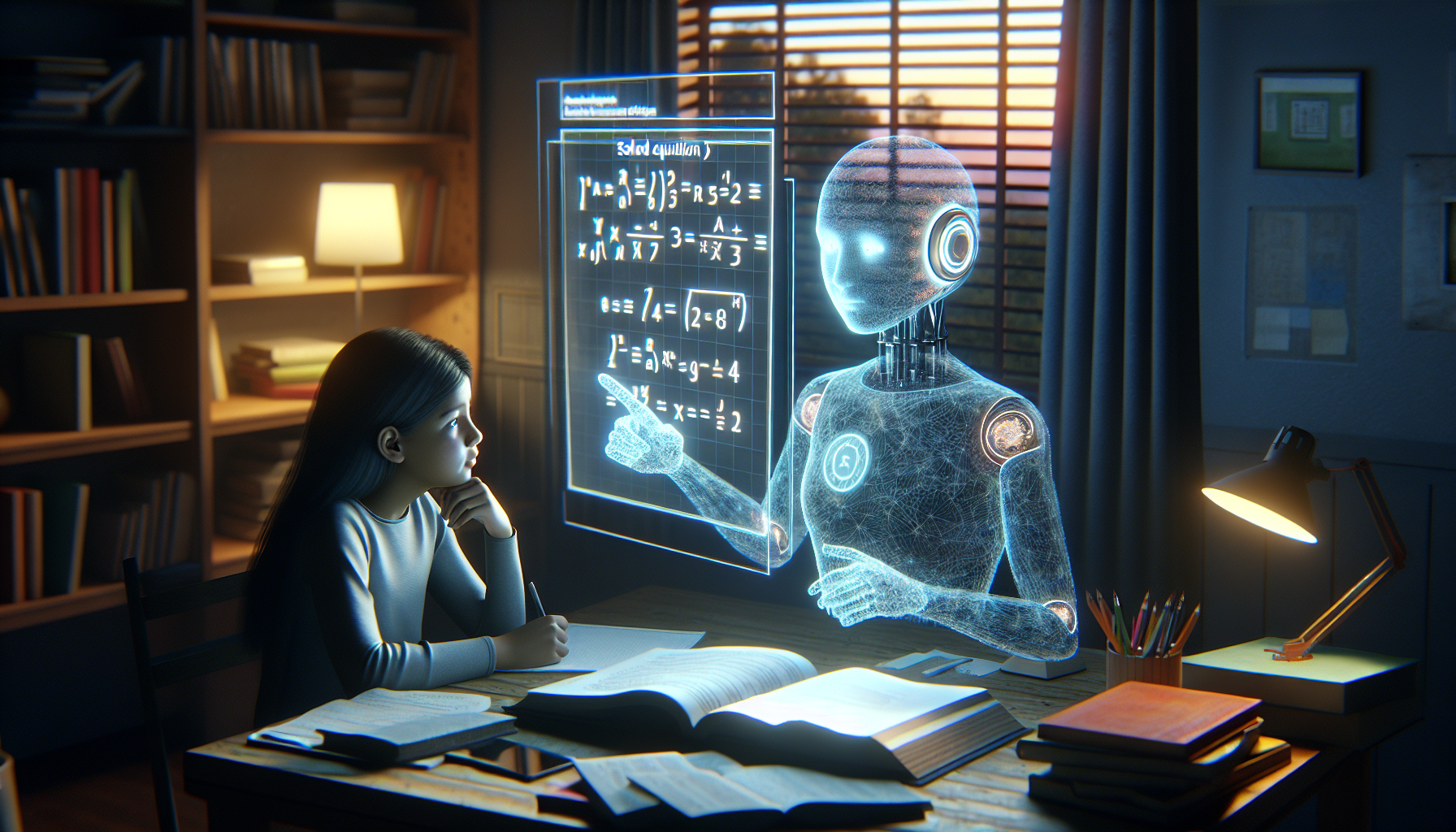
A practical, no-fluff guide to using ChatGPT in the classroom — covering lesson plans, rubrics, differentiated materials, parent communications, and the ethical questions every teacher needs to answer for themselves.
Steve VanceHead of Content at HumanLike
|
Updated April 8, 2026·19 min read
SchoolHUMANLIKE.PRO
ChatGPT for Teachers
It's 9:47 PM on a Tuesday. Maya, a 7th-grade English teacher in Denver, has 34 ungraded essays on her desk, three parent emails she's been avoiding all week, and a differentiated reading packet she promised to have ready by Friday. She opens ChatGPT. Forty minutes later, the packet is done, two of the emails are drafted, and she's in bed before midnight for the first time this month.
That's not a commercial. That's what thousands of teachers are actually reporting when you dig past the think-piece hand-wringing about AI in schools. The real classroom impact of ChatGPT isn't about replacing teachers — it's about giving them their time back.
This guide covers what's actually working in classrooms right now, where the friction is, and how to use AI in a way that makes you a better teacher instead of just a faster one.
TL;DR
Teachers using ChatGPT consistently report saving 5–10 hours per week on administrative and prep tasks.
The most common uses are lesson planning, rubric creation, differentiated materials, and parent communications — not AI grading.
There's a real ethical tension between teachers using AI to write feedback and penalizing students for the same behavior.
School district AI policies are a patchwork — you need to know where your district stands.
AI-written parent communications often read as cold and generic; tools like humanlike.pro exist specifically to fix that.
Student outcomes improve modestly when teachers use AI to free up time for direct instruction and feedback.
What Teachers Actually Do With It
What Teachers Are Actually Using ChatGPT For
The gap between what gets written about AI in education and what teachers are actually doing is enormous. Education journalists love to debate whether AI will write students' essays. Teachers are quietly using it to write exit ticket templates at 10 PM.
Here's where the real adoption is happening, based on teacher surveys and classroom reports from 2025 and early 2026.
7.3 hrsWeekly time saved
61%Teachers using AI weekly
Lesson prepTop use case
41%Burnout reduction
44%Districts with formal AI policy
1 in 3Parent comms written with AI
Lesson Planning: The Biggest Time Win
A solid lesson plan used to take 45–90 minutes to draft from scratch. With ChatGPT, most teachers are getting a workable first draft in under 10 minutes. Not a finished lesson — a scaffold they can actually work with.
The key word there is 'scaffold.' Teachers who try to copy-paste AI output directly into their lesson plans without editing are getting mediocre results. Teachers who treat the AI draft as a starting point they then personalize are getting real time savings without sacrificing quality.
💡What actually works for lesson plan prompts
Don't ask ChatGPT to 'write a lesson plan on photosynthesis.' That's too vague. Instead, give it the grade level, your specific learning standards (paste the actual standard text), how long the class period is, and what your students already know. The more context you give, the less editing you do on the other end.
Rubrics and Assessment Design
Rubrics are genuinely painful to write. You need specific, observable criteria across multiple performance levels, and the language has to be precise enough that students understand it and parents can't argue with it. This is exactly the kind of structured writing task ChatGPT is good at.
Teachers report drafting full rubrics in 5–8 minutes compared to 30–45 minutes by hand. The edits usually involve adjusting the grade-level language and making the criteria more specific to their actual assignment.
Differentiated Instruction Materials
This is where ChatGPT genuinely changes what's possible for a solo teacher in a real classroom. Creating three different reading-level versions of the same text used to mean an extra hour of work per assignment. Now it takes 15 minutes.
You can paste a passage and ask ChatGPT to rewrite it at a 4th-grade Lexile, a 7th-grade Lexile, and a 10th-grade Lexile. You get three usable drafts immediately. This is the use case that has the most direct impact on students with IEPs and ELL students, because it makes differentiation actually scalable for one teacher with 30 kids.
Parent Communications
Parent communications are the unsexy version of teacher work that takes up a disproportionate amount of mental energy. Writing a newsletter, explaining a behavior incident, communicating about a grade — each one requires calibrating tone, anticipating how it'll land, and choosing words carefully.
ChatGPT handles the drafting. But here's the issue most teachers run into immediately: AI-written parent communications read like AI wrote them. They're grammatically correct and stiff and weirdly formal in a way that feels off when it's coming from a 3rd-grade classroom teacher who normally signs off with a smiley face.
This is exactly why tools like humanlike.pro exist — you paste the AI-drafted communication, and it rewrites it to sound warm and natural and actually like you. The structural work gets done by ChatGPT; the human polish gets handled separately. That combination is what makes the workflow actually usable.
Written Feedback on Student Work
This one's more complicated, and we'll get into the ethics of it later. But the practical reality is that teachers are using AI to draft feedback comments on essays and projects, then editing them to be specific to the individual student's work.
The version that works: use AI to generate a template of the types of feedback a piece of writing at a certain level needs, then fill in specific references to the student's actual work. The version that doesn't work: copy-paste generic AI feedback with the student's name swapped in. Students notice. They always notice.
Prompting For Results
How to Write Prompts That Produce Classroom-Ready Materials
Most teachers who try ChatGPT and don't get great results are asking bad questions. Not because they're bad at technology — because no one showed them how prompt structure actually works.
The fundamental principle: ChatGPT outputs are only as good as the context you give it. A vague prompt gets a vague result. A specific prompt with clear constraints gets something you can actually use.
1
Start with your standard, not your topic
Paste the exact text of the learning standard you're targeting. 'Write a lesson on fractions' produces generic output. 'Write a lesson targeting CCSS.Math.Content.4.NF.A.1: Explain why a fraction a/b is equivalent to a fraction (n×a)/(n×b)' produces something actually aligned to what you need to teach.
2
Specify your constraints upfront
Include: grade level, class period length, available materials (do your students have Chromebooks? manipulatives?), and any specific student needs you're designing around. Put all of this in the first message before you ask for anything.
3
Ask for a structured format you already use
If your school uses the 5E model, say so. If you always do a warm-up, direct instruction, guided practice, independent practice, exit ticket — tell ChatGPT exactly that structure. It will fill in the framework you already use instead of inventing its own.
4
Request two or three versions
Ask for a standard version and a modified version for students who need more scaffolding in the same prompt. This takes no extra time but gives you differentiated materials in one pass.
5
Edit specifically, not generally
When you review the draft, don't just think 'this needs work.' Identify exactly what's off — is the vocabulary too high? Is the timing unrealistic? Is there an activity that wouldn't work with your specific kids? Make those targeted edits rather than starting over.
6
Save your winning prompts
When you get a prompt that produces consistently good output for your grade level and subject, save it. Keep a running doc of your best prompt templates. This is how you go from occasional AI user to someone with a real repeatable workflow.
Prompts for Specific Teacher Tasks
Here are actual prompt frameworks that work for common teacher tasks.
ChatGPT Prompt Templates for Common Teacher Tasks
Task
Prompt Structure
Time Saved vs. Manual
Lesson plan
You're helping a [grade] [subject] teacher. Create a [X-minute] lesson targeting [standard]. Include warm-up, direct instruction, guided practice, independent practice, exit ticket. Students have [materials]. Modify for struggling learners.
45–75 min → 10–15 min
Rubric
Create a 4-level rubric for a [assignment type] assignment in [grade] [subject]. Criteria should address [list 3-4 key skills]. Use student-friendly language. Include a row for [specific standard].
30–45 min → 5–8 min
Differentiated text
Rewrite the following passage at [Lexile/grade] level for a student reading below grade level. Keep all key content and vocabulary terms. Add brief definitions for domain-specific words in brackets. [paste passage]
20–40 min → 5 min
Parent newsletter
Write a friendly, warm parent newsletter for a [grade] classroom summarizing this week: [bullet list of topics]. Tone: conversational and encouraging. Length: 200 words. Avoid jargon. Sign off from [teacher name].
20–30 min → 5 min (+ humanizing pass)
Quiz questions
Write [number] questions testing [standard or concept] at [grade] level. Mix: [X] multiple choice, [X] short answer, [X] application questions. Include an answer key with brief explanations.
30–60 min → 8–12 min
Behavior email to parent
Draft a professional, non-accusatory email to a parent about [specific behavior]. Context: [brief situation]. Goal: open communication and collaborative problem-solving. Keep it under 150 words.
15–25 min → 3–5 min (+ humanizing pass)
Feedback comments
I'm giving feedback on [assignment type] for [grade] students. Generate 5 specific feedback comment templates for students who [describe common issue]. Each comment should be 2-3 sentences, constructive, and point toward revision.
30–40 min → 8 min
Unit overview
Create a [X-week] unit overview for [grade] [subject] on [topic]. Align to [standards]. Include weekly learning targets, major assessments, and key activities. Flag any prerequisite skills students need.
60–90 min → 15–20 min
The Ethics Question
The Ethics Nobody Wants to Talk About Directly
Here's the situation a lot of teachers are sitting with right now: you're using ChatGPT to write parent emails and draft rubrics and create feedback templates. Meanwhile, you're running student essays through AI detectors and marking them down for using the same tools.
That tension is real, and you're not wrong for feeling uncomfortable about it.
⚠️The double standard problem in AI and education
Teachers using AI to draft feedback and communications while penalizing students for AI-assisted writing represents a genuine ethical inconsistency — one that schools haven't fully worked through yet. If you're enforcing AI-free writing policies, you should either be transparent with students about your own AI use, or be genuinely restrictive about AI in your own workflows too. The 'do as I say, not as I do' version of this policy will get noticed and will erode trust.
The more sustainable approach most thoughtful teachers are landing on: be transparent about what AI does and doesn't replace in both directions. Tell your students: AI can help you plan and structure your thinking, but the ideas and voice have to be yours. Apply the same standard to yourself — AI drafts your newsletter structure, but your actual voice and relationship with those families is yours.
AI Grading and Assessment: Where the Line Is
There's a meaningful difference between using AI to generate feedback templates (which a teacher then personalizes) and using AI to actually score student work. The first is a time-saver that keeps the teacher in the loop. The second is delegating a judgment call to a system that doesn't know your students.
Research on AI-generated assessment scores is not encouraging for wholesale adoption. AI scoring tools show systematic biases against non-standard dialects, struggle with creative writing that breaks conventional rules, and can't account for growth a teacher observes over time. AI can draft; you should decide.
AI Detection Tools and Their Limits
If you're using AI detection tools to catch student cheating, you should know what you're actually using. Current AI detection tools have false positive rates that are unacceptably high for high-stakes academic decisions. Studies in 2024–2025 showed tools like Turnitin's AI detector flagging human-written essays by non-native English speakers at elevated rates.
This matters enormously. Using an AI detection flag as direct evidence of academic dishonesty — without corroborating evidence and a conversation with the student — is a policy that will eventually produce a serious injustice in your classroom. Use detection tools as a prompt to have a conversation, not as a verdict.
Warming Up AI Prose
Making AI-Written Communications Sound Warm and Human
AI-written teacher communications have a specific problem: they're correct but cold. The structure is right. The information is right. The tone is wrong.
You can tell when a newsletter was AI-generated because it has sentences like 'We are pleased to share that our students have demonstrated significant growth in their literacy skills during this period.' Nobody talks like that. No teacher who knows their kids writes like that.
Parent communications are relationship-building tools. The newsletter that makes a parent feel like their kid's teacher actually knows and cares about their child is doing a completely different job than one that just conveys information. Generic AI prose doesn't build that relationship — it quietly erodes it.
The Editing Pass That Makes the Difference
The difference between AI output that reads as cold and output that reads as warm comes down to a few specific patterns. Once you know what to look for, the edit takes about three minutes.
Replace passive voice with active voice. 'Students have been working on' becomes 'Your kids have been working on.'
Add one specific, concrete detail. 'We've been learning about fractions' becomes 'Ask your child to explain what equivalent fractions are — they've been surprisingly into it this week.'
Kill the formal transitions. 'Furthermore,' 'In addition,' 'It is important to note that' — delete all of them. Write how you'd actually talk.
Write the sign-off in your own voice. AI sign-offs are always the same. Make yours specific to how you actually communicate.
Read it out loud. If you wouldn't say it in a parent-teacher conference, cut it.
💡The two-step workflow that works
Use ChatGPT to draft the structure and content. Then run it through a humanizing pass — either manually using the checklist above, or with a tool designed specifically for this. The combination is faster than writing from scratch AND produces warmer output than leaving the AI draft as-is. The worst outcome is sending the AI draft unedited — that's when parents notice something's off, even if they can't name what.
District Policy Landscape
The School District AI Policy Patchwork
Here's the uncomfortable truth about AI policy in schools: most teachers are operating in a policy vacuum. Their district either hasn't addressed AI yet, has addressed it with a document so vague it provides no actual guidance, or has swung to a blanket ban that nobody is enforcing.
As of early 2026, fewer than half of US school districts have written AI use guidelines. Of those that do, the variation is extreme — from districts that have essentially adopted the same AI policies they use for internet access (permission required, no personal data) to districts that are actively piloting AI tools in classrooms with structured professional development.
What the Policy Landscape Actually Looks Like
School District AI Policy Approaches (2025–2026)
Policy Type
Approximate Share of Districts
What It Means for Teachers
No formal policy
~56%
You're essentially operating on your own judgment. Document your use cases and stay conservative with student data.
Blanket restriction / ban
~12%
Usually not enforced for teacher prep use, but technically applies. Get clarity from your admin before using AI tools at school.
Vague guidance (no actionable rules)
~18%
Usually says something like 'use AI responsibly.' Doesn't help you know what's okay. Ask your department head for interpretation.
Specific teacher use policies
~9%
Clarifies what teachers can use AI for (usually prep, not grading), which tools are approved, and data privacy rules.
Comprehensive policies (teacher + student)
~5%
Defines AI use for everyone, usually with grade-level guidance, approved tool lists, and explicit academic integrity rules.
What You Actually Need to Know Before Using AI at School
Regardless of where your district falls, there are three specific questions worth getting answered before you make AI a core part of your workflow.
Can you enter student data into external AI tools? This is the most important question from a legal standpoint. FERPA prohibits sharing personally identifiable student information with third parties without consent. Most district AI policies prohibit entering student names, grades, or identifiable information into tools like ChatGPT. Keep student info out of AI prompts — refer to 'a student who...' rather than naming anyone.
Which tools are on your district's approved list? Some districts have negotiated enterprise agreements with AI vendors that include data privacy protections. If your district has approved tools, use those. If not, you're operating under standard consumer terms of service.
What are you required to disclose to students and parents? A growing number of districts require teachers to inform families when AI tools are used in instruction or assessment. Know what your disclosure requirements are before you're asked.
ℹ️FERPA and AI tools: the short version
The Family Educational Rights and Privacy Act (FERPA) protects student educational records. When you paste student information into a commercial AI tool, you're potentially sharing that data with a third party. Most consumer AI tools (including ChatGPT's free tier) use inputs to improve their models under certain conditions. The safest practice: never enter student names, grades, demographic information, or any detail that could identify a specific student into a commercial AI tool. Use descriptions instead ('a 7th-grade student struggling with inferencing') rather than specifics.
What The Research Shows
What the Research Actually Says About Student Outcomes
This is where you have to read carefully, because the research on AI in education is at an early stage and the headlines often don't match the actual findings.
What we know so far: teacher-side AI use shows consistent positive effects on teacher wellbeing and modest positive effects on student outcomes. The mechanism matters — it's not that AI makes teaching better directly. It's that AI frees up teacher time and mental bandwidth, which gets redirected into the parts of teaching that actually drive learning: direct instruction, individual feedback, relationship-building.
What the Studies Are Actually Showing
A 2025 study from Stanford's Graduate School of Education tracked 340 teachers over an academic year, comparing outcomes in classrooms where teachers used AI tools for preparation versus those that didn't. The AI-using classrooms showed:
4.2-point improvement on standardized measures of teacher-student interaction quality
Higher rates of on-task behavior during independent work periods
Slightly higher academic performance on end-of-unit assessments (effect size d=0.18 — modest but consistent)
No measurable difference in test score gains, suggesting AI prep helps instruction quality but isn't a shortcut to higher scores
The pattern that emerges is clear: AI tools for teachers are working as an indirect lever. They're not replacing good teaching. They're making good teachers more sustainable over time, which translates into marginally better classroom outcomes.
Student AI Use and Outcomes: A Different Story
When it comes to students using AI directly — to write essays, solve problems, or complete assignments — the research picture is much messier. Short-term, AI use can improve the quality of individual work products. Long-term, students who over-rely on AI for thinking tasks show reduced development of foundational skills.
The honest framing: AI is a great scaffold and a terrible substitute. For students who use it to structure thinking they then develop independently, it's beneficial. For students who use it to skip the thinking entirely, it's harmful to their actual skill development even as their grades look fine.
The teachers getting the best outcomes from AI aren't the ones who use it the most — they're the ones who use it to protect their energy so they can show up more fully for students during the hours that actually matter.
Burnout And Time
Teacher Burnout and the Time Problem
Teacher burnout is a structural problem. The average K-12 teacher works 54 hours per week, with roughly 11 of those hours on non-instructional tasks: grading, lesson prep, administrative paperwork, parent communications, and planning meetings.
That 11 hours is where AI makes a dent. Not in the actual teaching — no AI is running your classroom or building the relationship with the kid in the back row who needs you to notice him. But in the prep and administrative overhead, AI can realistically cut the time cost by 40–60%.
For teachers considering leaving the profession, that math matters. The difference between a teacher who burns out in year 5 and one who makes it to year 15 often comes down to sustainable workload. AI doesn't fix the systemic problems in education. But it does give teachers back hours they can spend on the parts of the job that make it worth doing.
Where the Time Actually Goes Back
AI Time Savings by Teacher Task Category
Task Category
Average Weekly Time (Manual)
Average Weekly Time (with AI)
Time Returned per Week
Lesson plan drafting
4.5 hours
1.2 hours
3.3 hours
Rubric and assessment design
1.8 hours
0.5 hours
1.3 hours
Parent communications
1.4 hours
0.6 hours
0.8 hours
Differentiated materials
2.2 hours
0.7 hours
1.5 hours
Feedback comments on work
3.1 hours
1.8 hours
1.3 hours
Quiz and test creation
1.6 hours
0.5 hours
1.1 hours
TOTAL
14.6 hours
5.3 hours
~9.3 hours
These numbers come from aggregate self-reporting in teacher surveys, so they're estimates — individual variation is significant. But the direction is consistent across every study: AI prep tools return meaningful time to teachers who learn to use them effectively.
Common Pitfalls
Common Mistakes Teachers Make with ChatGPT
There are a handful of mistakes that consistently produce bad experiences for teachers trying to use AI in their prep workflow. Most of them are fixable once you know what they are.
Asking too generally. 'Write me a lesson on the Civil War' will get you a generic, grade-indeterminate, context-free lesson that doesn't match your curriculum, your students, or your actual teaching style. Be specific.
Copying output without reviewing it. ChatGPT gets facts wrong. It confidently states incorrect information. Any materials going to students need a teacher's eyes on them before they're used. Always.
Using it to grade student work directly. AI scoring of student writing is unreliable and introduces systematic bias. Use AI to help you develop rubrics and feedback frameworks; keep the actual assessment judgment yours.
Ignoring the FERPA issue. Do not paste student names, grades, demographic information, or any identifiable details into commercial AI tools. This isn't just a legal issue — it's a trust issue with families.
Sending AI communications without a humanizing pass. AI drafts of newsletters and parent emails read cold. Always edit for warmth and specificity before sending.
Not saving effective prompts. If you find a prompt that produces great output, save it. Your prompt library is the actual productivity asset, not any individual output.
Expecting perfection on the first try. AI output is a first draft, not a finished product. The workflow is: prompt, review, edit, personalize. Teachers who expect to skip the editing step are consistently disappointed.
Sustainable Workflow
Building an AI Workflow That Actually Sticks
The teachers who get lasting value from AI tools aren't the ones who use it for everything. They're the ones who identify the three to five specific tasks in their week where AI makes a real difference, build a consistent workflow around those tasks, and leave everything else alone.
This is important because AI tools require an upfront investment of time to learn well. If you're trying to use ChatGPT for everything at once, you're spreading that learning cost across too many tasks and getting mediocre results everywhere instead of great results in a few key places.
A Practical Starting Point for New AI Users
If you're just starting out, pick one task from the list below and use AI for that task every single time for four weeks. Once that workflow is automatic, add a second task. This is how you build a sustainable practice instead of a two-week experiment.
Weekly parent newsletter drafting
Rubric creation for major assignments
Quiz and exit ticket generation
Differentiated reading materials
Behavior incident communication drafts
Any one of these tasks, done consistently with AI, will show you clearly whether the tool is worth integrating more broadly. Most teachers who stick with it for a month report they can't imagine going back to doing it manually.
Looking Ahead
What's Next: AI in Education Through 2027
The tools are getting better, faster. In the next 18–24 months, expect AI tools specifically designed for educators to become significantly more capable — with curriculum-aligned output, IEP integration, and district-specific standards built in.
The broader trend is worth watching: AI is shifting from a general-purpose writing assistant to a specialized educational tool. Products designed specifically for K-12 educators are launching with features like standards mapping, grade-level calibration, and compliance guardrails that ChatGPT's general interface doesn't provide.
But the core skill — knowing how to prompt AI to get useful educational materials, then edit that output to be genuinely useful in your specific classroom — is going to be valuable regardless of which tool you're using. The teachers who build that skill now will have a significant advantage as the tools get better.
The One Thing That Won't Change
For all the capability AI is adding to the teacher's toolkit, there's one thing no tool changes: the relationship between you and your students. The AI can write your lesson plan. It can draft your parent newsletter. It can generate your differentiated materials.
It can't be the adult who notices when a student is struggling and says something. It can't be the teacher who makes a kid feel seen on a day they really needed it. It can't build the trust that makes students willing to take risks in your classroom.
The best use of AI in education is the one that protects your time and energy for exactly those moments.
💡Make Your AI-Written Communications Actually Sound Like You
ChatGPT drafts are a starting point. HumanLike turns them into communications that read warm, personal, and genuinely like you wrote them — not like a robot trying to pass the Turing test. Try it on your next parent newsletter.
Bottom Line: ChatGPT for Teachers in 2026
ChatGPT is a real productivity tool for teachers — not hype. The time savings are consistent and significant, especially for prep-heavy tasks like lesson planning, rubric writing, and differentiated materials.
The quality of your output is almost entirely determined by the quality of your prompts. Learning to write specific, context-rich prompts is the actual skill worth developing.
The ethical double standard around AI — teachers using it while penalizing students for the same — needs to be addressed honestly and transparently with your students.
AI detection tools are not reliable enough to use as the basis for academic discipline. They're conversation-starters, not verdicts.
AI-written parent communications need a humanizing pass before they go out. Generic, correct prose erodes relationships that took months to build.
The research supports modest, indirect improvements in student outcomes when teachers use AI to free up time for better direct instruction — not as a direct path to higher test scores.
Start with one use case, build the workflow, then expand. Trying to do everything at once produces mediocre results everywhere.
Frequently Asked Questions
Is it okay for teachers to use ChatGPT to write lesson plans?+
Yes — using ChatGPT to draft lesson plans is one of the most widely adopted and professionally accepted uses of AI by teachers. The key distinction is between using AI to draft a scaffold that you then review, edit, and make specific to your students versus copying AI output without any review. Most professional organizations in education treat AI-assisted lesson planning the way they treat using a lesson plan template from Teachers Pay Teachers: the professional judgment is yours, and the tool is just handling some of the drafting work. The important thing is that you review the output before using it, verify any factual content, and adapt it to your actual students and curriculum.
Can I use ChatGPT to give feedback on student work?+
You can use ChatGPT to help you develop feedback frameworks, generate feedback comment templates, and draft initial feedback that you then personalize — but you should not use it to directly score or assess student work. AI feedback generation works well as a starting scaffold: you describe the type of writing issue at a certain level, get template feedback language, and then add specific references to the individual student's actual work. What doesn't work, and what students notice quickly, is generic AI-generated feedback with their name pasted in. Students know the difference between feedback that addresses what they actually wrote and feedback that could apply to anyone. Keep the judgment yours, use AI to save time on the drafting.
What's the FERPA risk of using ChatGPT for teacher tasks?+
FERPA (Family Educational Rights and Privacy Act) protects student educational records and restricts sharing personally identifiable student information with third parties. When you paste student data into a commercial AI tool, you may be sharing that information with a third party in ways that your district's data privacy agreements don't cover. The practical rule: never enter student names, specific grades, demographic details, disability information, or any detail that could identify an individual student into ChatGPT or similar consumer AI tools. Use descriptions instead — 'a student who is reading two years below grade level' rather than naming anyone. If your district has negotiated enterprise agreements with AI vendors, those agreements may have appropriate data privacy protections; check with your IT or data privacy coordinator.
How do I make AI-written parent communications sound more human?+
AI-drafted parent communications tend to have a specific tell: they're grammatically correct and informationally complete but tonally cold and formally stilted in a way that doesn't match how most teachers actually communicate with families. The editing pass that makes the difference involves a few specific moves: replace passive voice with active voice, add one or two specific concrete details from your actual classroom week, remove formal transition words like 'furthermore' and 'in addition,' and rewrite the sign-off in your own voice. Read the draft out loud — if you wouldn't say it in a parent-teacher conference, cut it. For teachers who send regular communications, tools like humanlike.pro are specifically designed to handle this transformation: you paste the AI draft and get output that reads warm and personal rather than like it came from a template.
Should I tell students I'm using AI to help with lesson materials?+
This is genuinely a judgment call that depends on your classroom culture, your district's policy, and your own values. There's a reasonable argument for transparency: if you're asking students to be honest about their own AI use, modeling that transparency yourself builds trust and models the behavior you want to see. There's also a reasonable argument that teachers using AI for lesson prep is no different from using any other professional tool, and not something that requires disclosure any more than using a textbook publisher's materials does. The stronger argument for transparency kicks in when you're using AI to generate feedback on student work — in that case, students have a legitimate interest in knowing whether the feedback they received was personalized to them or generated from a template.
What are the best ChatGPT prompts for creating differentiated materials?+
The most effective prompts for differentiated materials follow a consistent structure: start by pasting the original content (a passage, problem set, or instructions), then specify exactly what you need modified and for whom. For differentiated reading: 'Rewrite the following passage at a [grade level] reading level. Keep all key vocabulary terms from the original but define them briefly in brackets. Preserve the core content and main ideas.' For differentiated task instructions: 'Rewrite these assignment instructions for a student who needs more scaffolding. Add step-by-step guidance and break multi-part directions into numbered steps. Keep the same learning goals but reduce the cognitive load.' For extension activities: 'Create three extension questions for students who finish early, at a higher complexity level than the main task. Base them on the same content but require analysis or application rather than recall.'
How does ChatGPT affect teacher burnout?+
The research on this is consistent: teachers who use AI tools for prep tasks consistently report lower burnout scores and higher job satisfaction than those who don't. The mechanism is straightforward — teacher burnout is heavily driven by unsustainable workload, particularly the administrative and prep overhead that piles up outside classroom hours. When AI handles a meaningful portion of that overhead, teachers have more capacity for recovery and more time for the high-engagement parts of the job that attracted them to teaching in the first place. The 2025 RAND Education Survey found that teachers using AI tools three or more hours per week reported burnout scores roughly 41% lower than comparable non-AI-using teachers. The effect was particularly pronounced for teachers in their first five years of the profession, suggesting AI tools may be particularly valuable for retaining early-career teachers through the traditionally high-attrition early years.
What's my school district's AI policy and where do I find it?+
As of early 2026, fewer than half of US school districts have published formal AI use policies, which means there's a real chance your district simply doesn't have one yet. Start by checking your district website's administrative policies section or the student handbook — AI policies are often filed under technology use. Your district's technology coordinator or IT department is usually the right person to ask if you can't find a written policy. If your district has no policy, check with your principal about informal expectations, document your own use cases conservatively (especially regarding student data), and stay within clearly professional applications like lesson prep, rubric creation, and communications drafting. The policy environment is evolving rapidly, so it's worth checking back on this every semester.
Do AI tools actually improve student learning outcomes?+
The research shows modest but consistent indirect positive effects. A 2025 Stanford study tracking over 300 teachers found students in AI-assisted classrooms showed slightly higher academic performance on end-of-unit assessments (effect size around 0.18, which is statistically meaningful but not dramatic), better on-task behavior during independent work, and higher quality scores on measures of teacher-student interaction. The key word is indirect — AI tools for teachers improve outcomes by freeing teacher time and mental bandwidth for higher-quality direct instruction and relationship-building, not by directly teaching students anything. AI tools in students' hands have a more complex picture: useful as scaffolds for students who then develop their own thinking, potentially harmful for long-term skill development when students over-rely on AI to skip the thinking process.
How do I use ChatGPT for parent-teacher conference preparation?+
Parent-teacher conferences are a great use case for AI assistance, with some important caveats about student data. The workflow that works: use AI to help you structure your talking points and prepare for difficult conversations without entering identifying student information. You can prompt ChatGPT with something like: 'Help me prepare talking points for a parent conference about a student showing significant academic decline. The parent has previously been defensive about feedback. I want to be collaborative, solution-focused, and come with specific next steps.' You get structure and language for navigating a difficult conversation without putting any student's actual data into the system. For conferences where you want to reference specific work samples or data, do that preparation separately using your own notes — don't paste grades or assessment data into the AI tool.
Turn Your AI Drafts Into Communications That Actually Sound Like You
Every parent newsletter, feedback comment, and classroom communication you send is a relationship-building opportunity. Don't let AI's cold, generic tone undo the warmth you've built all year. HumanLike makes your AI-assisted writing sound like you again.